
AI in Stafio
Ask in plain language about people, contracts and shifts — and let AI carry out tasks too. Always under control and with your approval.
Capabilities
What AI in Stafio can do
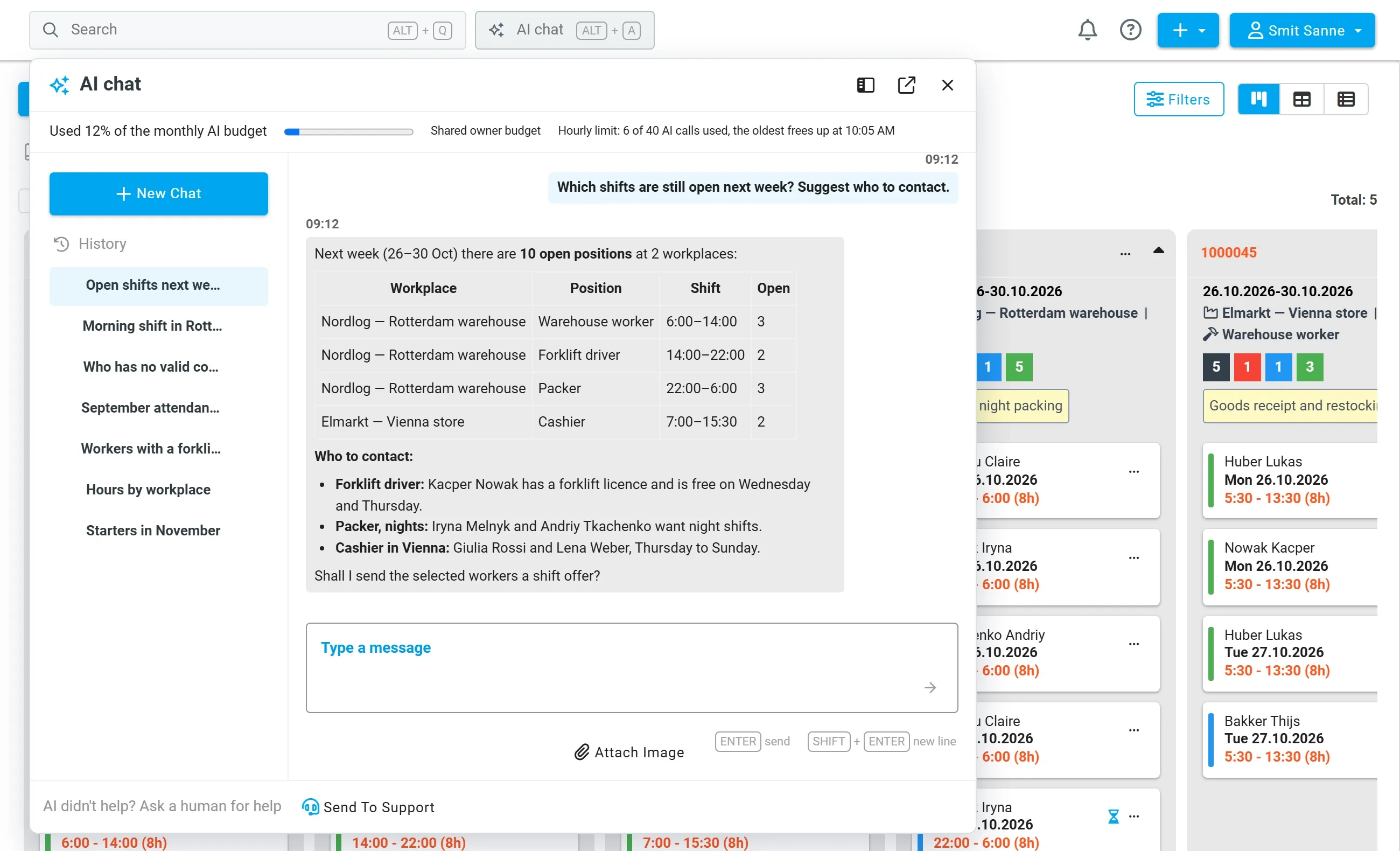
Stafio AI chat in the web app
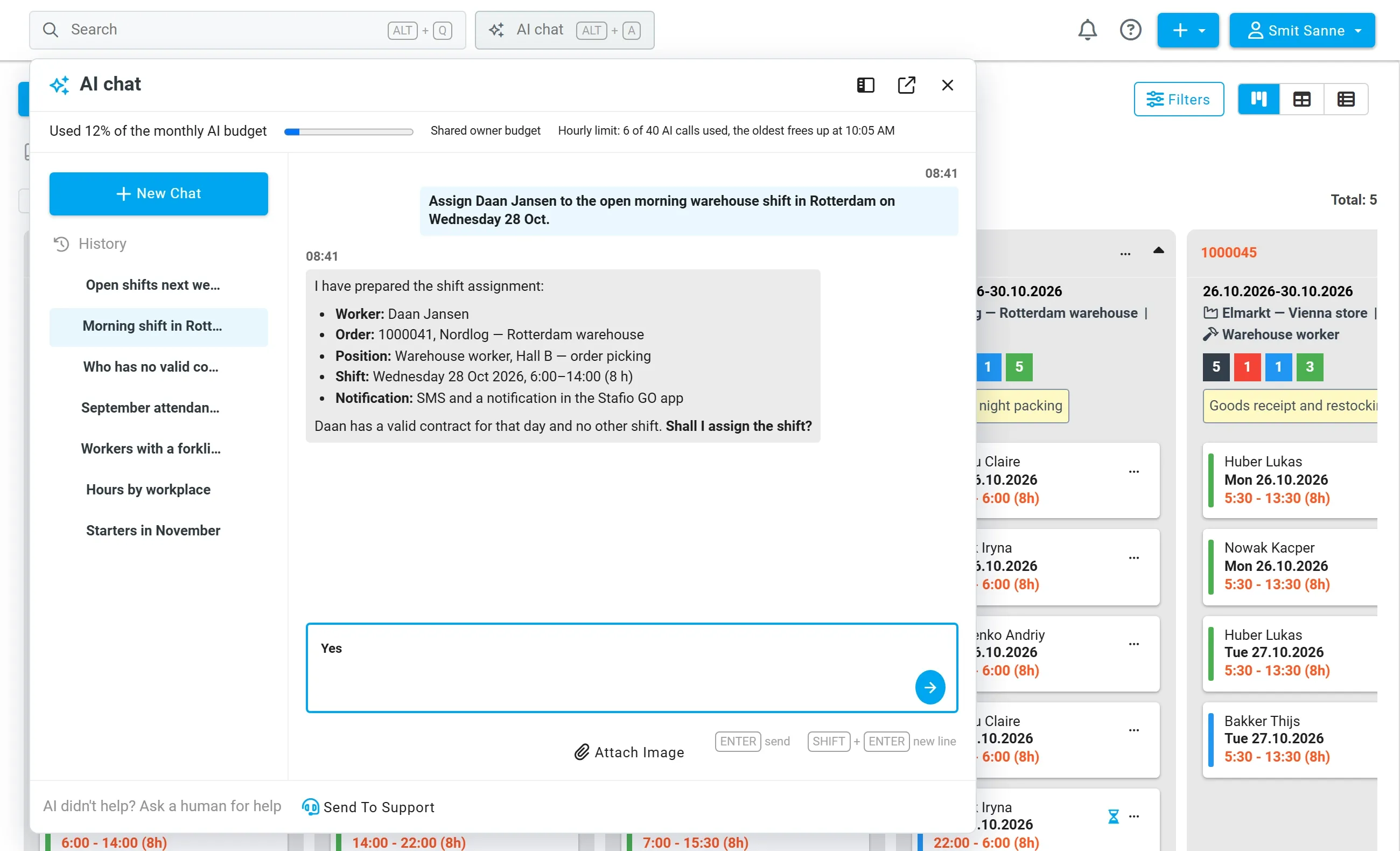
Ask about your company data — people, contracts, shifts, workplaces and communication history. On request and after confirmation it also writes: creates a person, contract or shift, fills or frees a shift, approves a timesheet, sends a message.
- Questions in everyday language over the data you have permission to
- Changes saved only after your confirmation
- Conversation history at hand
Stafio AI in the mobile app
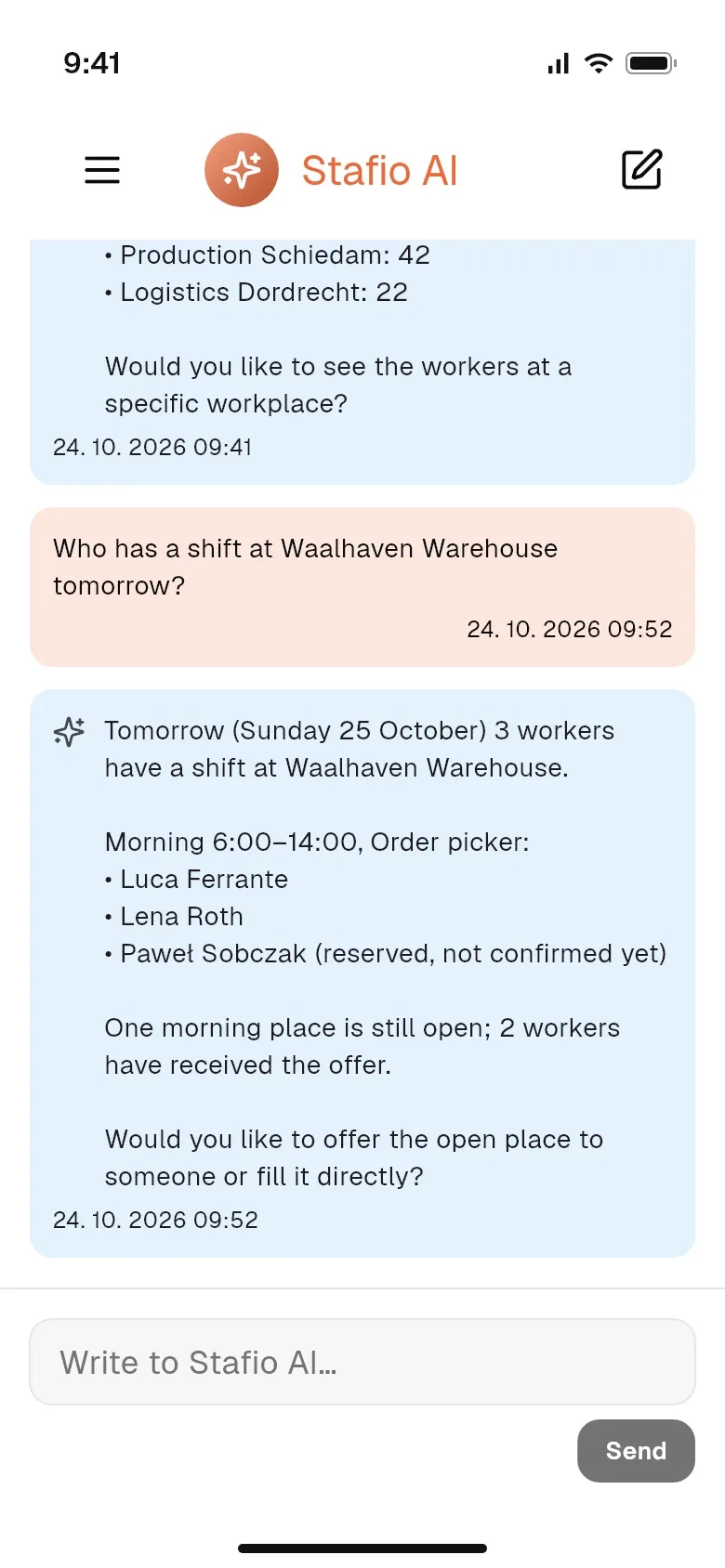
HR staff and coordinators also have the assistant in the Stafio GO mobile app. They find out who works tomorrow and get an open place filled right away.
- Questions about shifts, workplaces and people
- Changes after confirmation, even when you are out of the office
Reply suggestions for workers
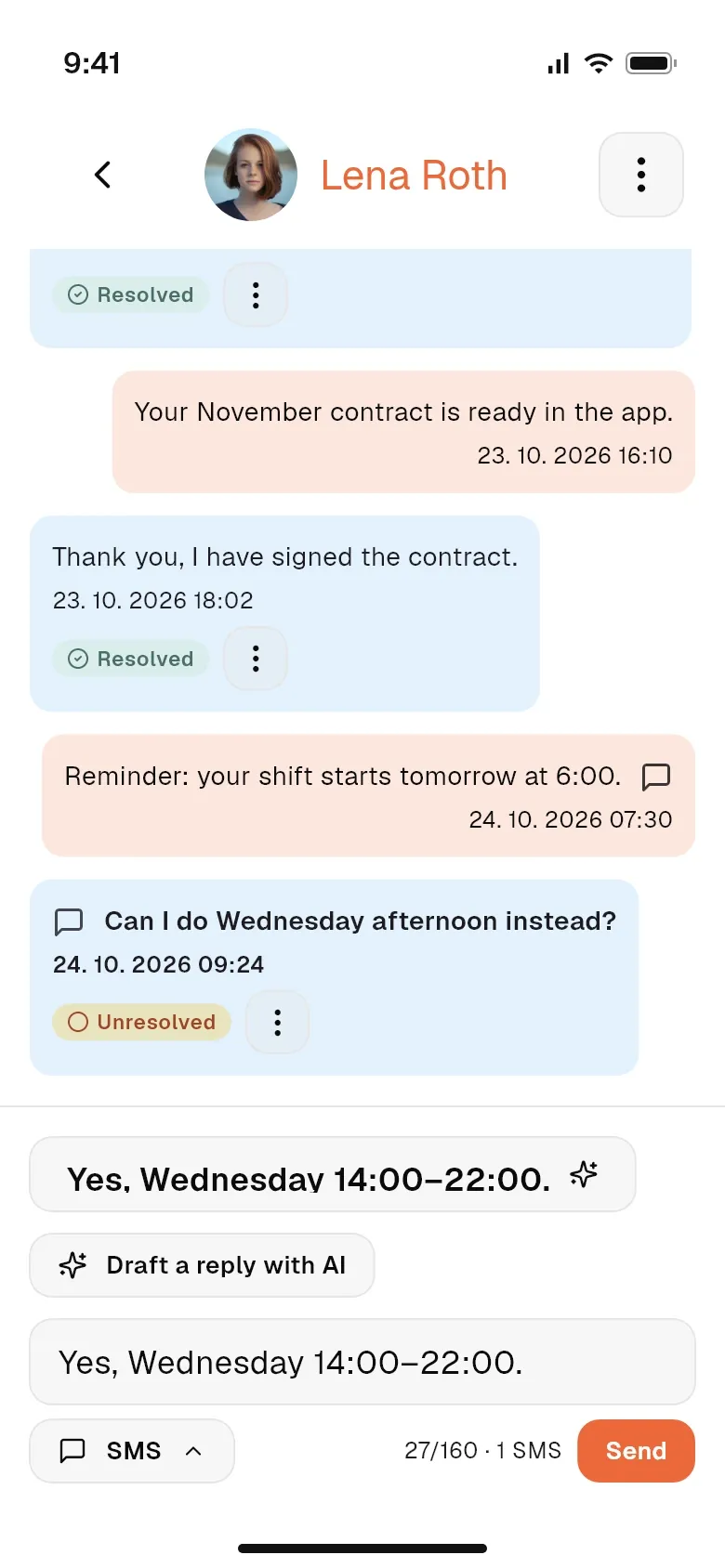
AI suggests a reply in the chat with a worker based on the history and shifts. It is never sent without the HR person’s approval.
- Suggestion based on conversation history and shifts
- Sending stays with the HR person
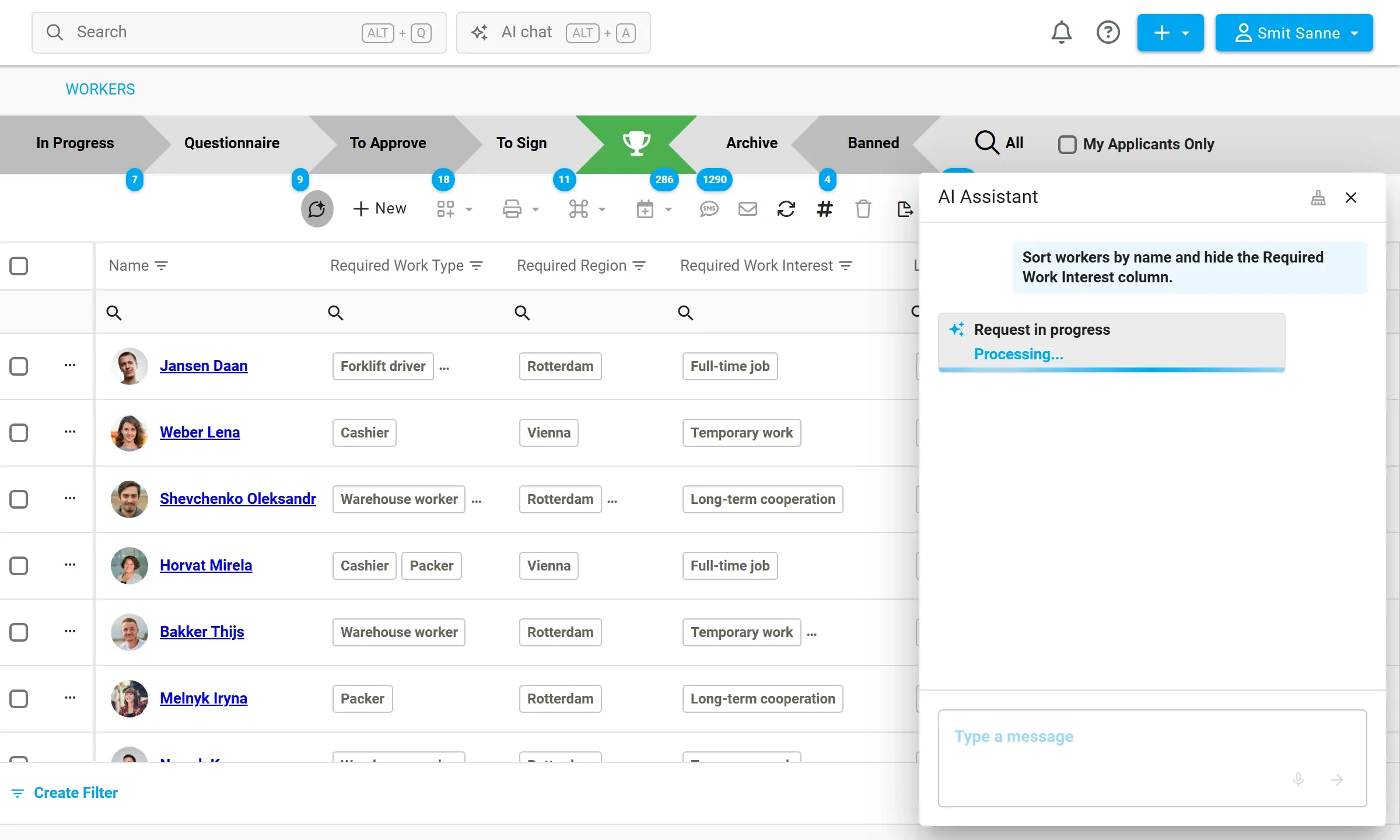
AI assistant in data grids
In an overview you write what you need — sort, filter, group or hide columns — and the assistant adjusts the table.
- Sorting, filters and columns without clicking
- Works in the standard overviews of the app
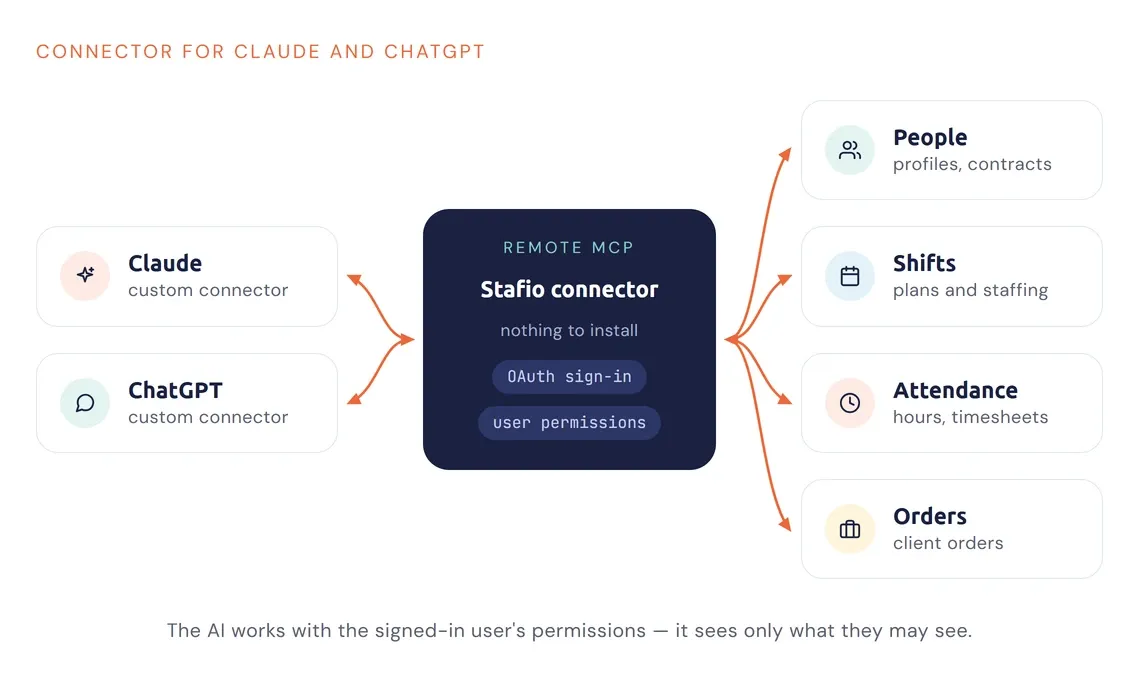
Connector for Claude and ChatGPT
Work with Stafio data right from Claude or ChatGPT through a remote MCP connector — nothing to install.
Under control
How it works and what we pay attention to
Permissions
AI only sees data the signed-in user has rights to. The same validations apply as for manual entry.
Approval
A person confirms every change. AI sends or changes nothing without your consent.
Processing
Runs through the APIs of the providers (Anthropic, OpenAI, Moonshot AI); only the data returned by the tools go to the model.
Cost control
You set a monthly AI budget and call limits per user.
FAQ
Before you decide
Is it safe for personal data?
Yes. AI only sees data the signed-in user has permission to and goes through the same validations as manual entry. Processing follows the GDPR rules.
Do I have to install anything?
No. The AI chat is right in Stafio and the connector for Claude and ChatGPT works as a remote MCP connector — nothing to install on your computer.
How are AI costs kept in check?
You set a monthly AI budget and call limits per user, so costs stay under control.
In which edition is AI available?
AI in Stafio is part of every edition — Basic, Professional and Enterprise.
Related modules
Goes well with
Who we are for
Stafio adapts to your company
Staffing agencies
Recruitment, documents, compliance and client invoicing in one place.
Learn more →Recruitment agencies
Candidates, clients and the whole recruitment process in one system.
Learn more →Cleaning & security agencies
People assigned to sites and a clear record of the work done.
Learn more →